
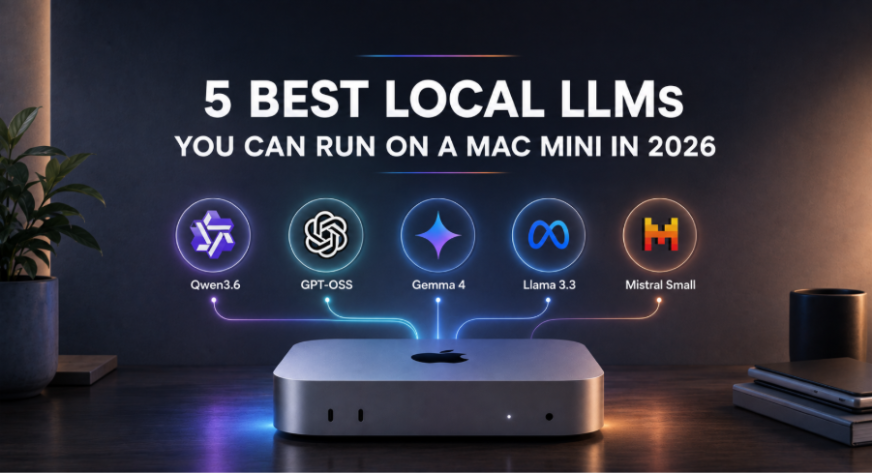
If you’re shopping for a mini PC and considering a Mac Mini for local AI tasks, you’re in luck. The Mac Mini, with its Apple Silicon and unified memory, is surprisingly capable of running large language models (LLMs) locally. Tools like Ollama and LM Studio make it easier than ever to run these models on-device. Let’s dive into five of the best LLMs you can run locally on a Mac Mini in 2026.
First up is Qwen3.6 35B, a model that offers a large capacity without demanding excessive memory. The 35B version is available through Ollama at around 23GB, with a 256K context window and support for text and image input. It’s particularly strong in agentic coding and repository-level reasoning, making it a versatile choice for various AI tasks. For a Mac Mini with 24GB+ memory, the 27B version at roughly 18GB is also a viable option. You can run it using the command: ollama run qwen3.6:35b.
Next, there’s Gemma 4 26B A4B, Google’s latest open model. This Mixture-of-Experts model has about 25.2B total parameters but only around 3.8B active parameters during inference. It supports image and text inputs and has a 256K context window. Ollama provides variants directly, including the 26B model. It’s best for multimodal tasks, reasoning, coding, and local assistants. A Mac Mini with 24GB+ memory is recommended. You can run it with: ollama run gemma4:26b.
OpenAI’s gpt-oss-20b is another standout model, designed specifically to run on user-controlled infrastructure. It requires roughly 16GB of memory, making it ideal for Macs with 16GB or more unified memory. The model is designed for reasoning and agentic workloads and supports configurable reasoning effort. It’s available through Ollama at about 14GB with a 128K context window. You can run it with: ollama run gpt-oss:20b.
If your primary use for the Mac Mini is development, Qwen3-Coder 30B is a great choice. This model has 30B total parameters but only 3.3B activated parameters, and it’s explicitly trained for agentic software engineering. It supports a native 256K context window and is designed to understand large repositories and execute long-horizon coding tasks. Ollama lists the local model at around 19GB, making it viable on a Mac Mini with 24GB or more memory. You can run it with: ollama run qwen3-coder:30b.
Finally, there’s Llama 3.3 70B, a capable general-purpose open model from Meta. Ollama provides a quantized version at around 43GB with a 128K context window. This model is best suited for Mac Minis with 48GB+ memory variants, ideally 60GB or more. You can run it with: ollama run llama3.3:70b.
When picking an LLM for your Mac Mini, consider the memory tier. For a 16GB Mac Mini, gpt-oss-20b and smaller Gemma 4 models are good choices. For 24GB, you can consider gpt-oss-20b, Gemma 4 26B A4B, and Qwen3.6 27B. For 32GB, Qwen3.6 35B and Qwen3-Coder are viable options. For high-memory Mac Minis with 48GB or more, Llama 3.3 70B is a strong contender. For more details, check out the original article here.